
Introduction
These steps outline how to log into Viewpoint from your computer or from Terminal Server. Once logged in, you can edit data or run reports in the different Viewpoint modules.
Tools
Parts
No parts specified.
-
-
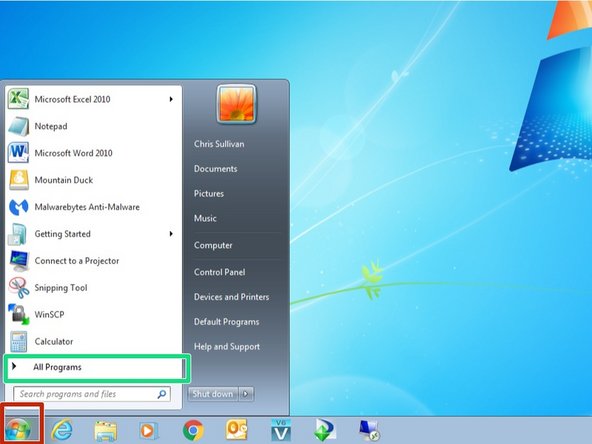
From your computer, click on the Start button in the lower left corner
-
Click on All Programs
-
-
-
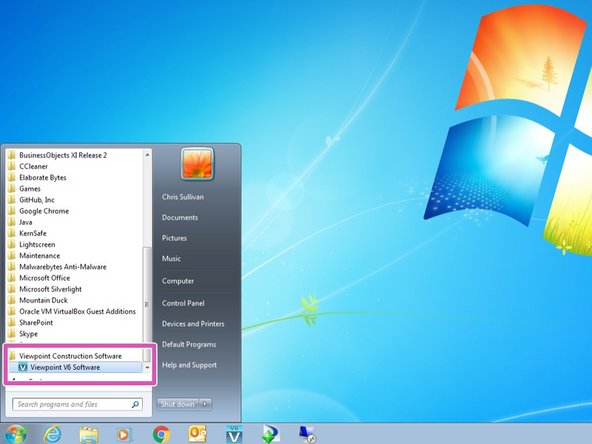
Scroll down the list of applications, open the Viewpoint Construction Software folder and double click on Viewpoint V6 Software
-
-
-
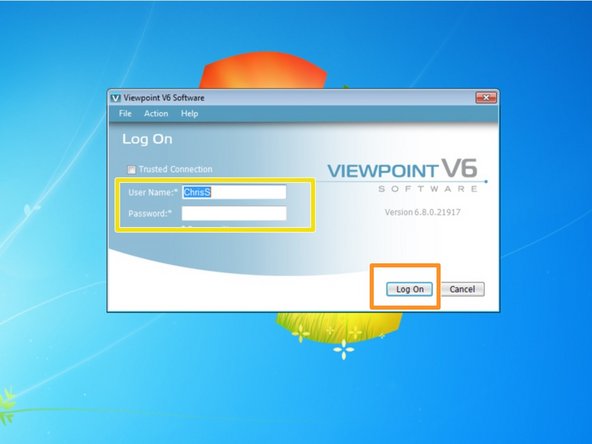
Wait for the Viewpoint login window to appear, then enter in your User Name and Password
-
Click Log On
-
If you do not know your Viewpoint User Name or Password, contact the IT department
-
Almost done!
Finish Line

